Change orders, signed before the work
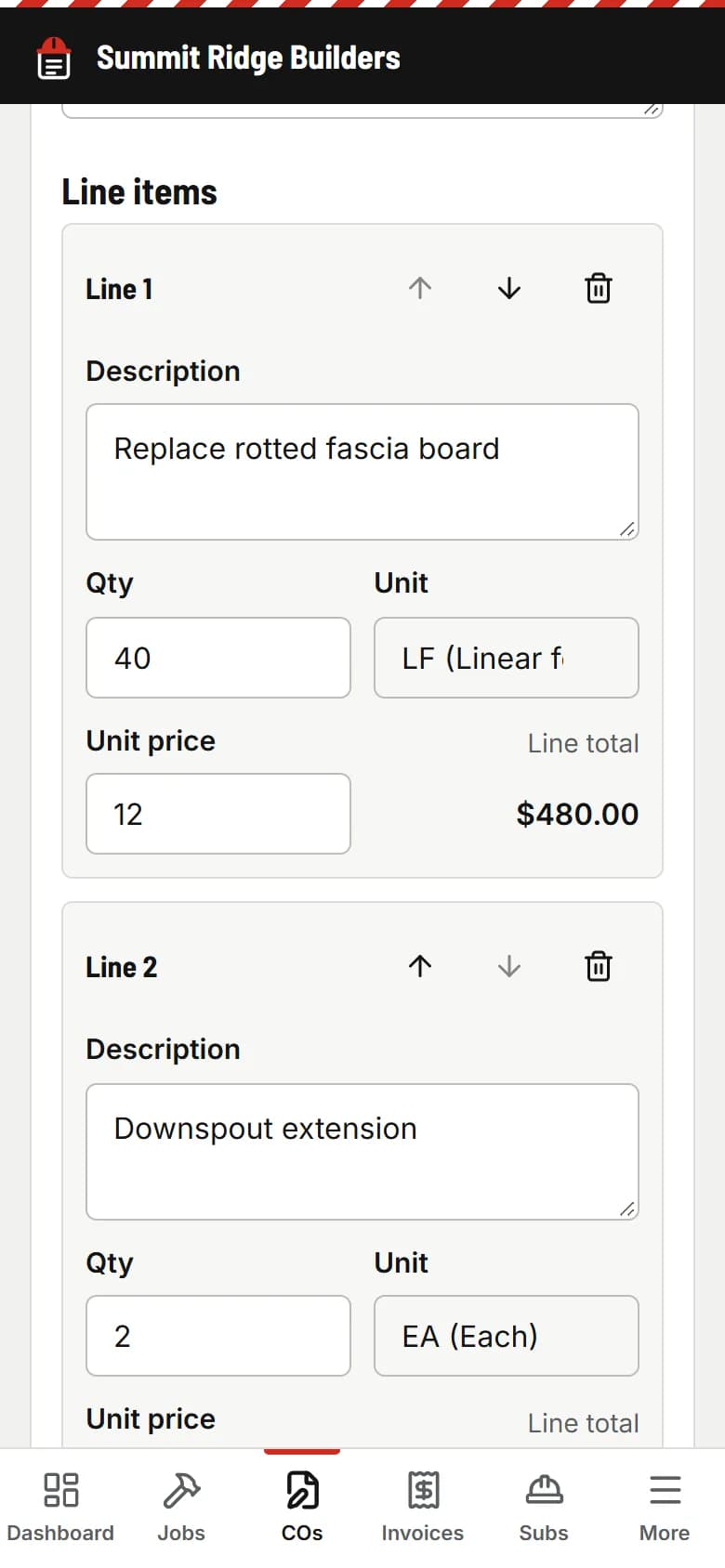
- Write it on your phone in about a minute, with photos.
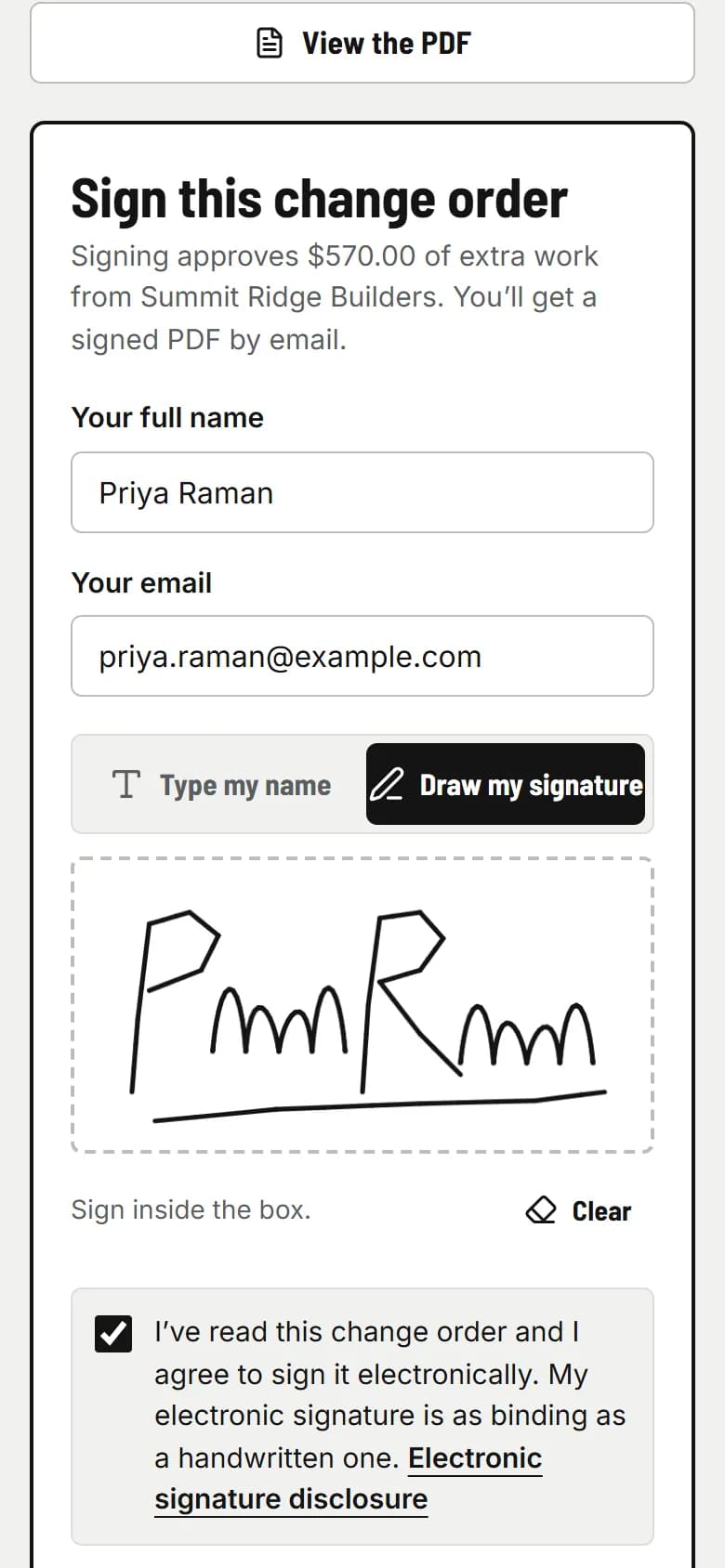
- Your client signs with a finger. No app, no account.
- The signed PDF, with a signature certificate, goes to both of you and onto the next invoice.
PaperForeman gets your change orders signed, your invoices paid, and your subs’ insurance current. Then it chases everyone so you don’t have to.
$149/month. Cancel anytime. Works from your phone.
“I never agreed to that.”
You did the extra work on a handshake. Now the client doesn’t remember saying yes, and it’s your word against theirs.
“It’s been 45 days.”
Nobody said no to the invoice. Nobody paid it either. And you don’t have time to call every week.
“His insurance lapsed in March.”
A sub’s coverage ran out halfway through your job. If someone gets hurt or something gets damaged, the claim can land on you.
Three kinds of paperwork, done start to finish, then chased until they’re done.
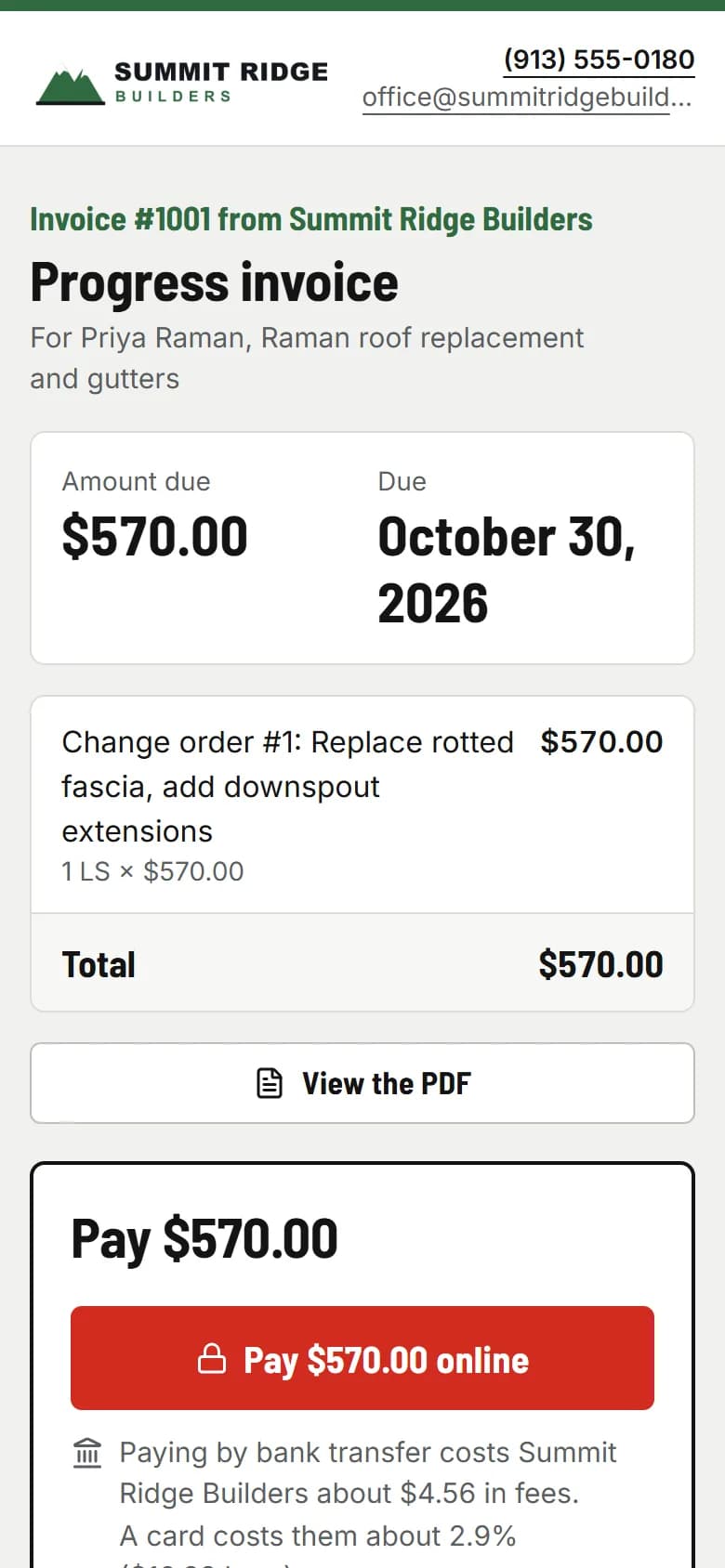
Pick the job, add the lines, tap Send. From the truck, between site visits.
They get an email with a link. They read it, sign it or pay it, and they’re done.
Reminders go out on schedule and stop the moment it’s signed or paid. You get an email either way.
The reminders you’d send if you had the time. Polite emails, on schedule, from your company name.
Your client gets a reminder 2 and 5 days after you send it.
Stops the moment they sign or decline.
Your client gets a reminder 3, 7 and 14 days after the due date.
Stops the moment it’s paid or you void it.
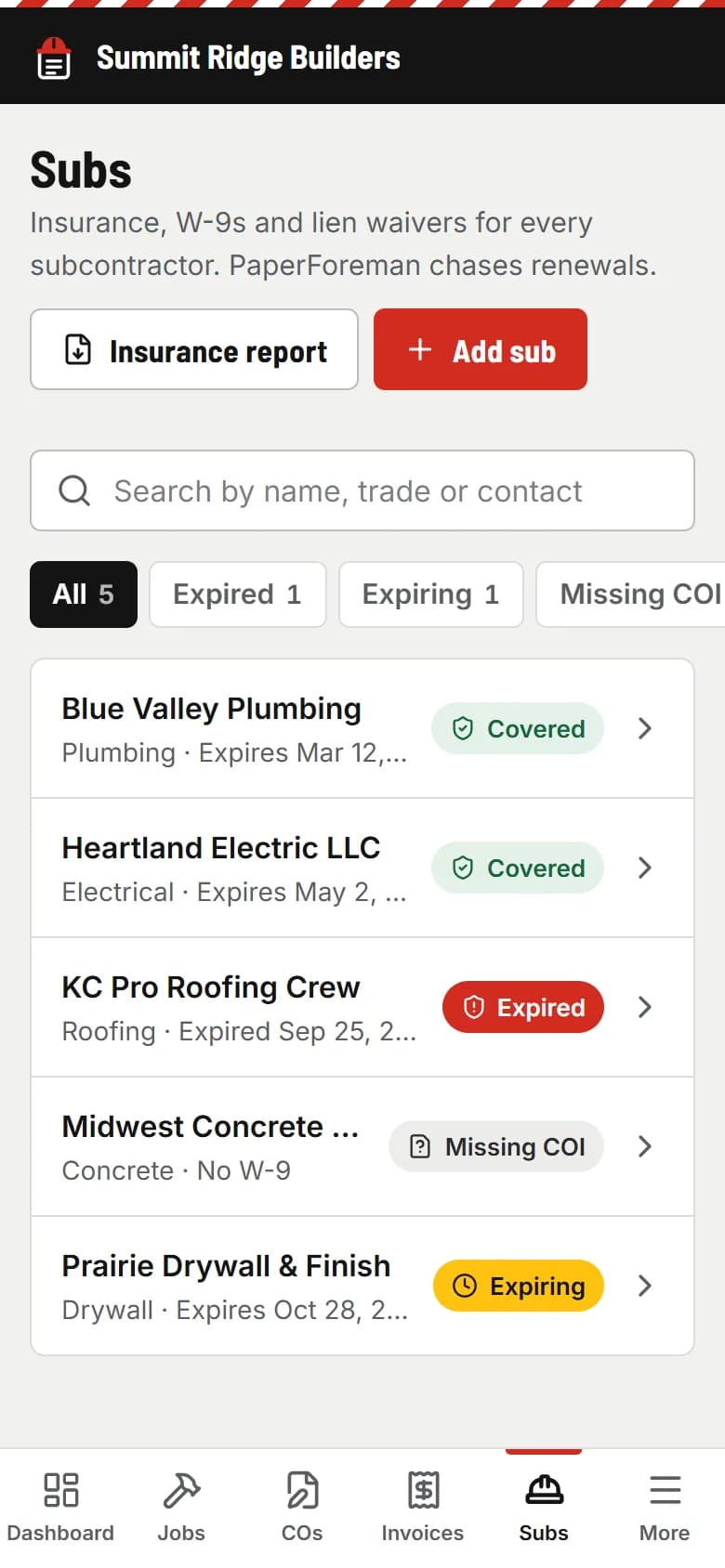
Your sub gets a reminder 30 and 14 days before it expires, and on the day.
Stops when they upload a new one. You get a heads-up too.
Get paid by bank transfer for $5 instead of $580 in card fees on a $20,000 invoice.
Stripe’s standard fees. PaperForeman takes no cut. Bank transfer is offered first on invoices over $2,500.
A part-time office admin runs about $1,700/month. PaperForeman is $149.
Admin estimate: 20 hours a week at about $20 an hour. PaperForeman doesn’t answer your phone, but it does the chasing.
Put in your own numbers. Nothing is saved or sent anywhere.
What paperwork costs you
PaperForeman pays for itself if it saves you 5% of that.
How this is worked out
Money at risk = jobs × average change order × the share that never gets signed or billed, assuming one change order per job each month. Time = your weekly hours × 4.33 weeks, valued at your hourly rate. Numbers are capped at 500 jobs, $1,000,000 per change order and 80 hours a week. It’s an estimate from what you type, not a promise.
Small crews, real jobs, and an owner who does the paperwork at night.
Every “while you’re in there” turns into a signed change order before you buy the material.
Rotten decking shows up after tear-off. Get the extra sheets signed from the roof, before they go down.
Deposit, progress draw, final: each invoice goes out the day the work’s done and gets chased until it’s paid.
Big pours mean big invoices. A bank transfer costs you $5, not hundreds in card fees.
Every sub on your jobs has current insurance on file, and you hear before it lapses, not after.
Estimating
Bid the job in whatever you use now.
Scheduling
It won’t plan your crews or your calendar.
Accounting
It doesn’t replace your books or your bookkeeper.
Texting
Not yet. Everything goes out by email.
It does the paperwork and the chasing, and it does that well.
One price for the whole company. No setup fee, no contract.
One plan. Everything in it.
For the whole company, not per person.
$149/month
14 days free. Card required to start; nothing is charged until day 15. Cancel anytime.
No. They get an email with a link. They read, sign or pay on their phone or computer. No app, no password, nothing to download.
Yes. In the U.S., the federal ESIGN Act and the UETA (adopted by almost every state) treat an electronic signature like a handwritten one for most business paperwork. PaperForeman records the signer’s consent, name, email, time, IP address and device, and seals the PDF with a SHA-256 fingerprint on a signature certificate. This isn’t legal advice: have your attorney review your change order terms.
Your choice, per invoice. Connect Stripe in a few minutes (Settings → Payments) and clients pay by card or bank transfer right on the invoice. The money goes to your Stripe account and Stripe’s fees apply: about 2.9% + 30¢ for a card, 0.8% capped at $5 for a bank transfer. PaperForeman takes no cut. Or paste your own payment link, or show check and cash instructions. You can offer all three.
Nothing gets deleted. When your paid time runs out, the account turns read-only: you can still sign in, look everything up and download your PDFs. Sending and reminders stop. Restart your plan from Billing any time and pick up where you left off.
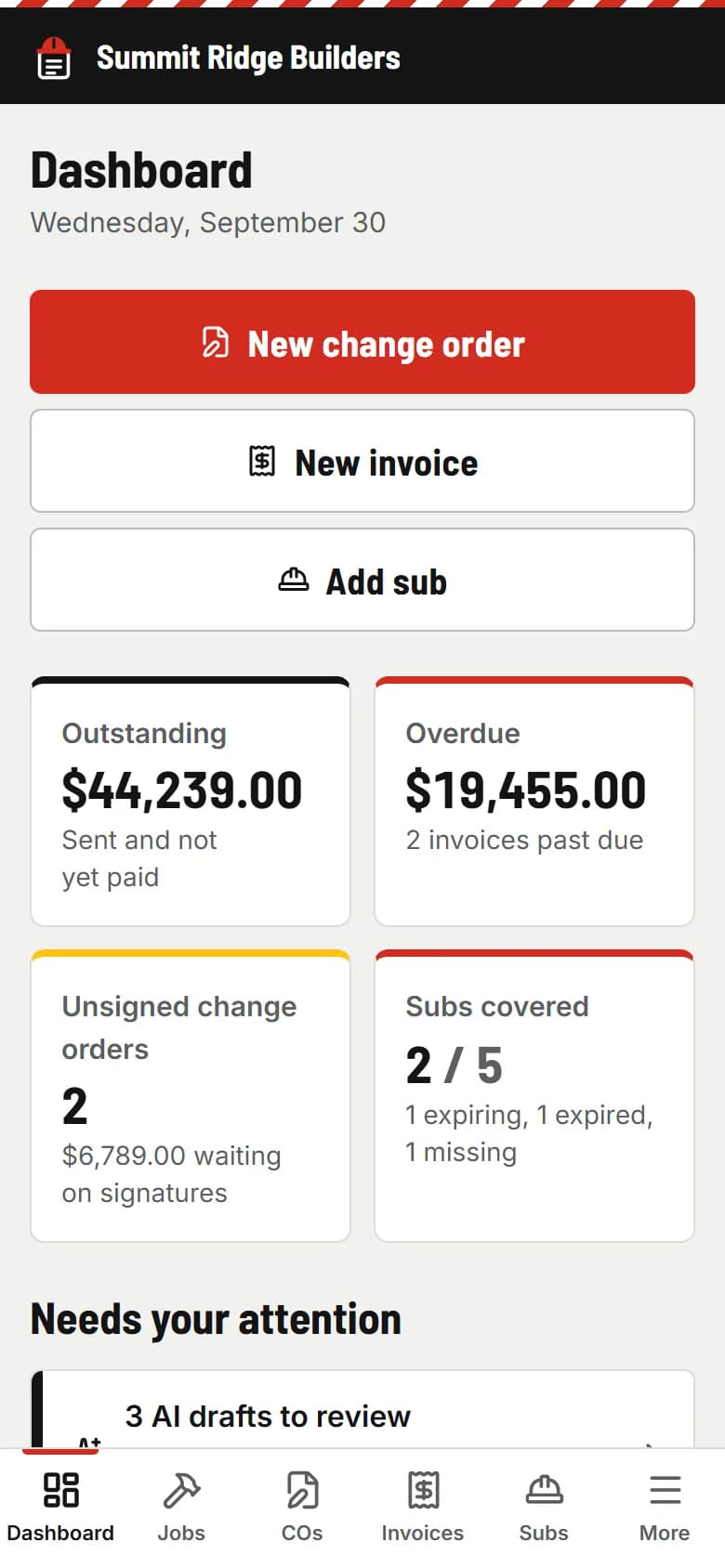
The demo is a real account for a made-up builder, Summit Ridge Builders. Click anything. Nothing gets sent.
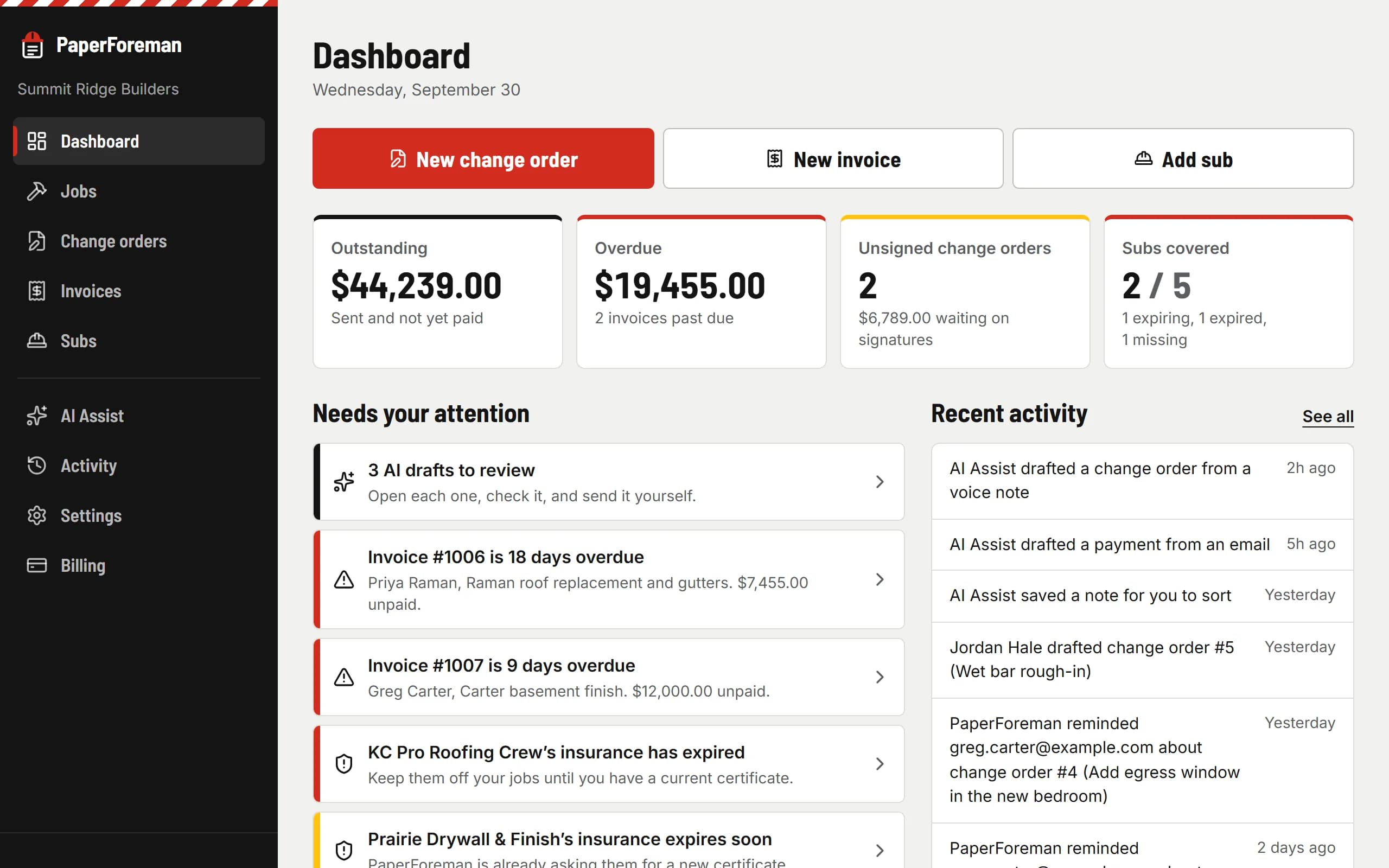
Try it free for 14 days. Set up takes about ten minutes, from your phone.
$149/month after the trial. Cancel anytime from Billing.