Know your numbers
See what every job is making, while it’s still going.
Receipts, bills, deliveries, stock and crew hours land on the job as they happen. Each job shows spent against budget and the profit so far, and Today warns you when one starts to slip.

Step by step
What you tap, what the other person sees, and what happens after.
You or the crew
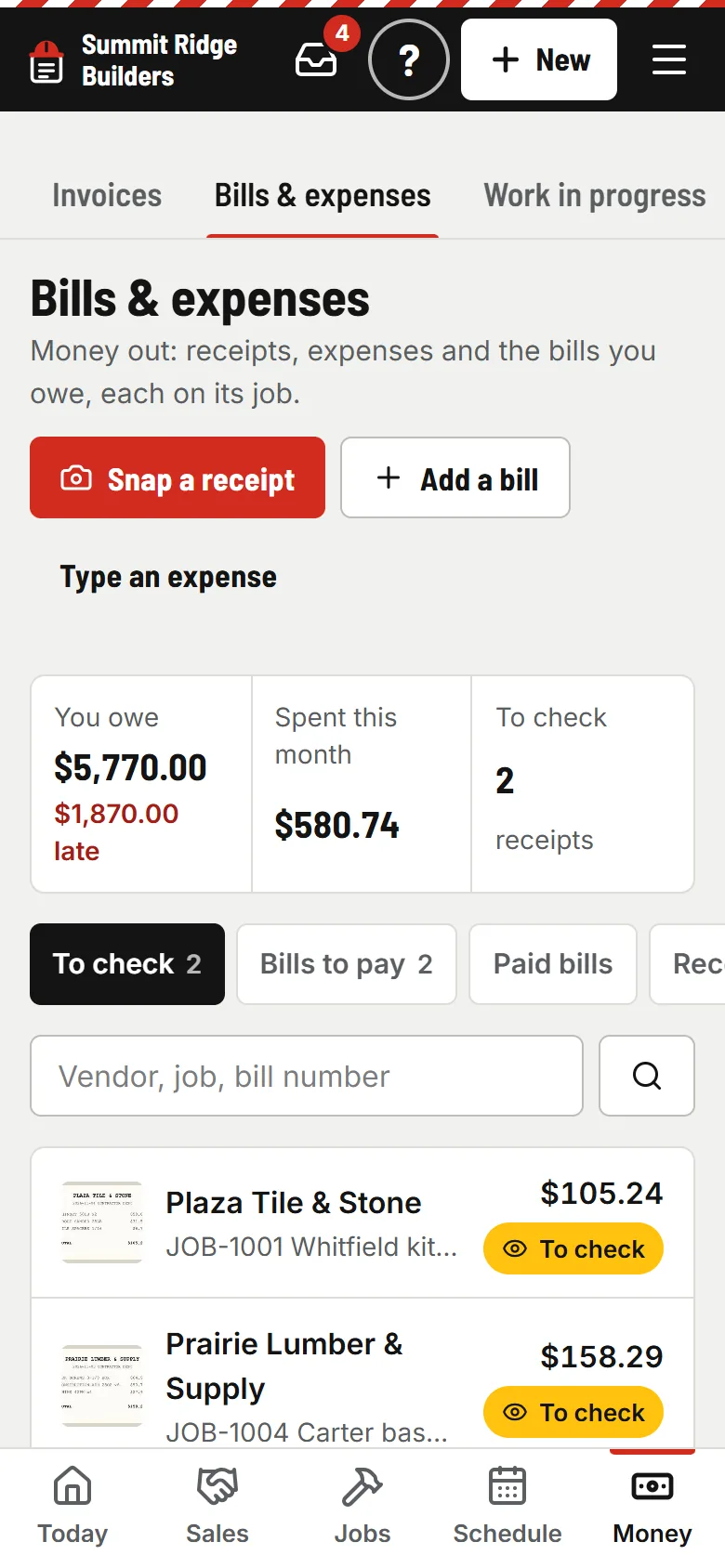
Snap the receipt
One tap to the camera. AI reads the store, date, total, tax and items while you keep working; you check it and it counts on the job. Bills you owe get a due date and “Mark paid”.
PaperForeman
Budget against spent
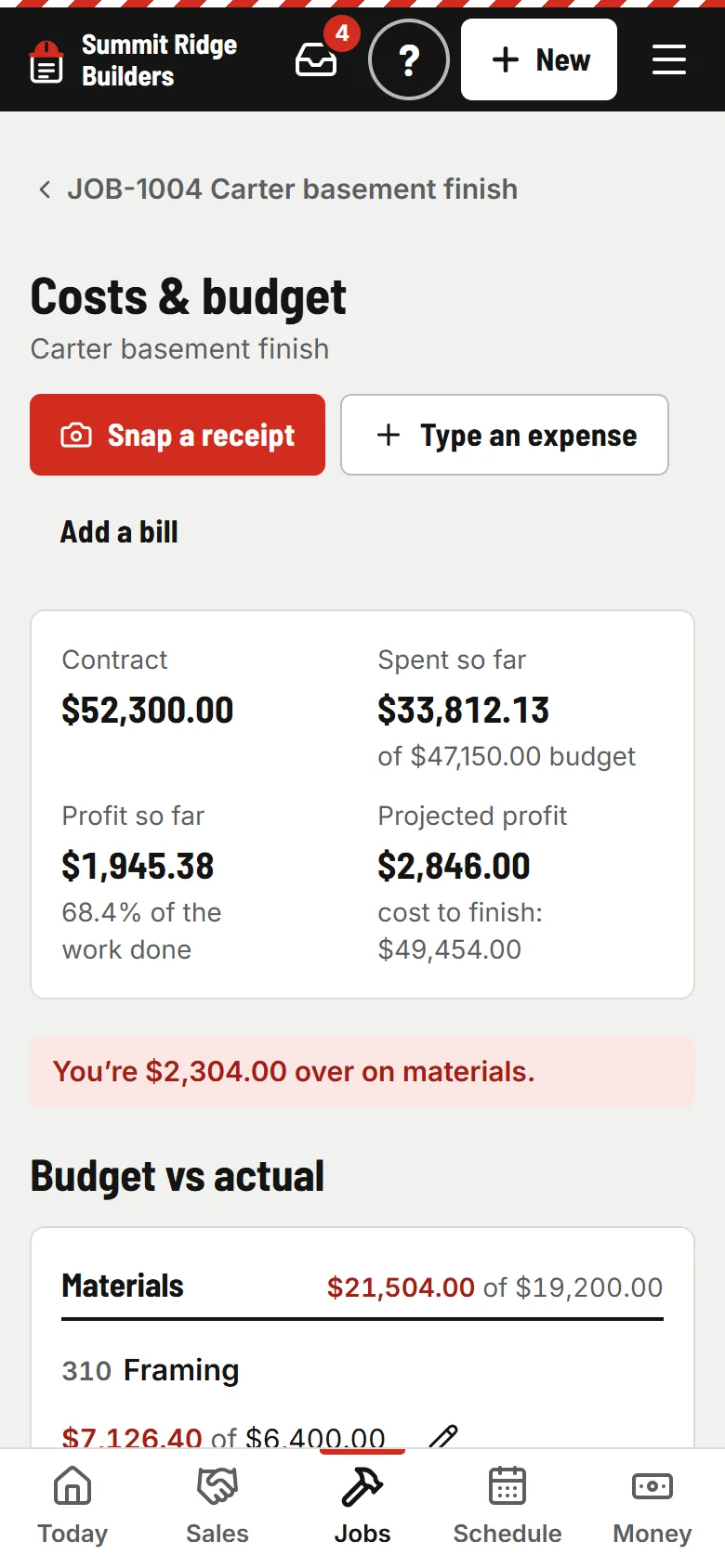
The budget comes from the approved estimate and signed change orders, by cost code. Labor comes from the timesheets. A plain sentence says where you stand: “You’re $2,304 over on materials.”
- usepaperforeman.com/wip
You
Every open job in one table
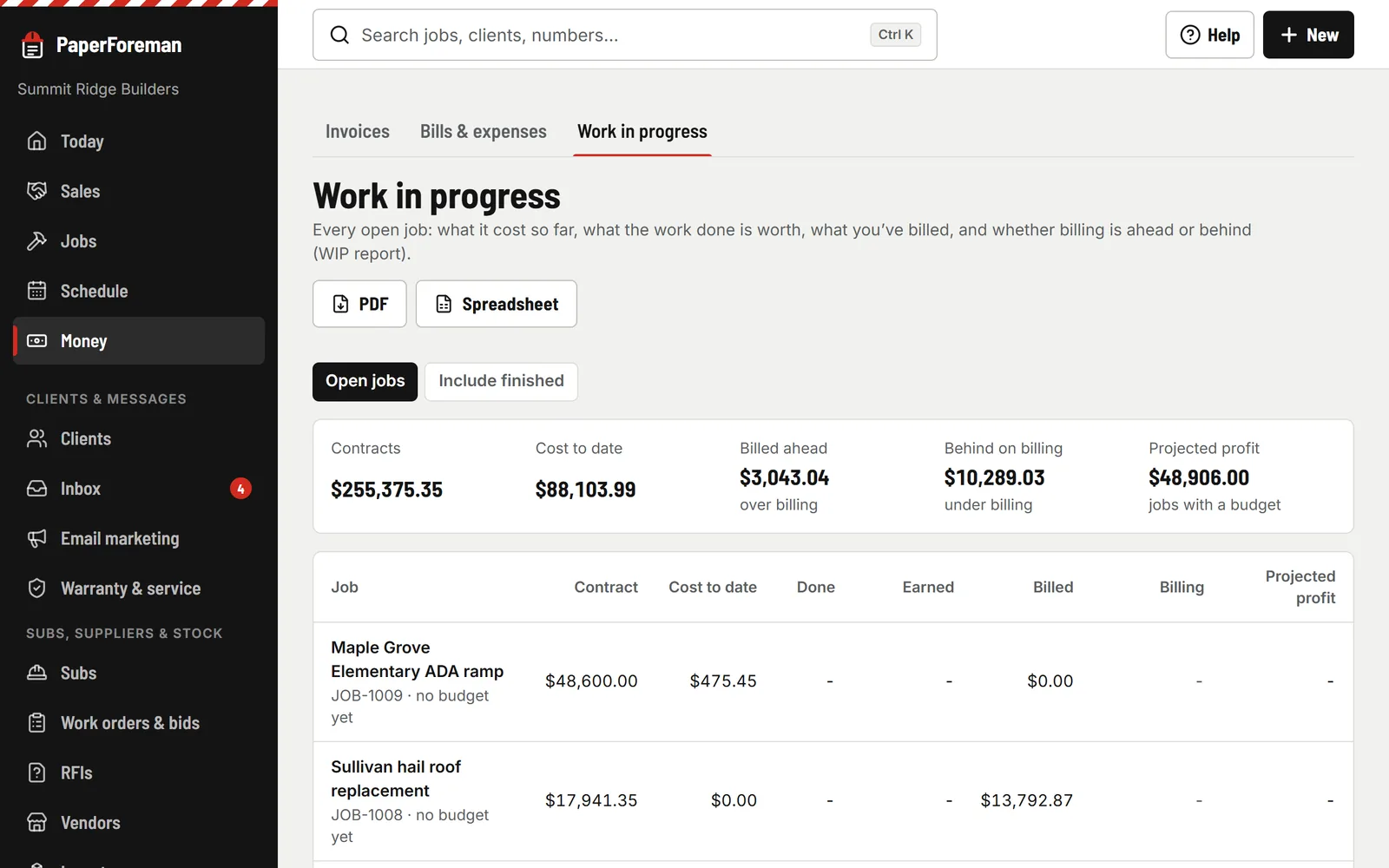
Work in progress: contract, cost to date, percent done, earned, billed, ahead or behind on billing, and projected profit. Download it as a PDF or a spreadsheet for the bank or your bonding company.
- usepaperforeman.com/insights
You
Your numbers, by asking
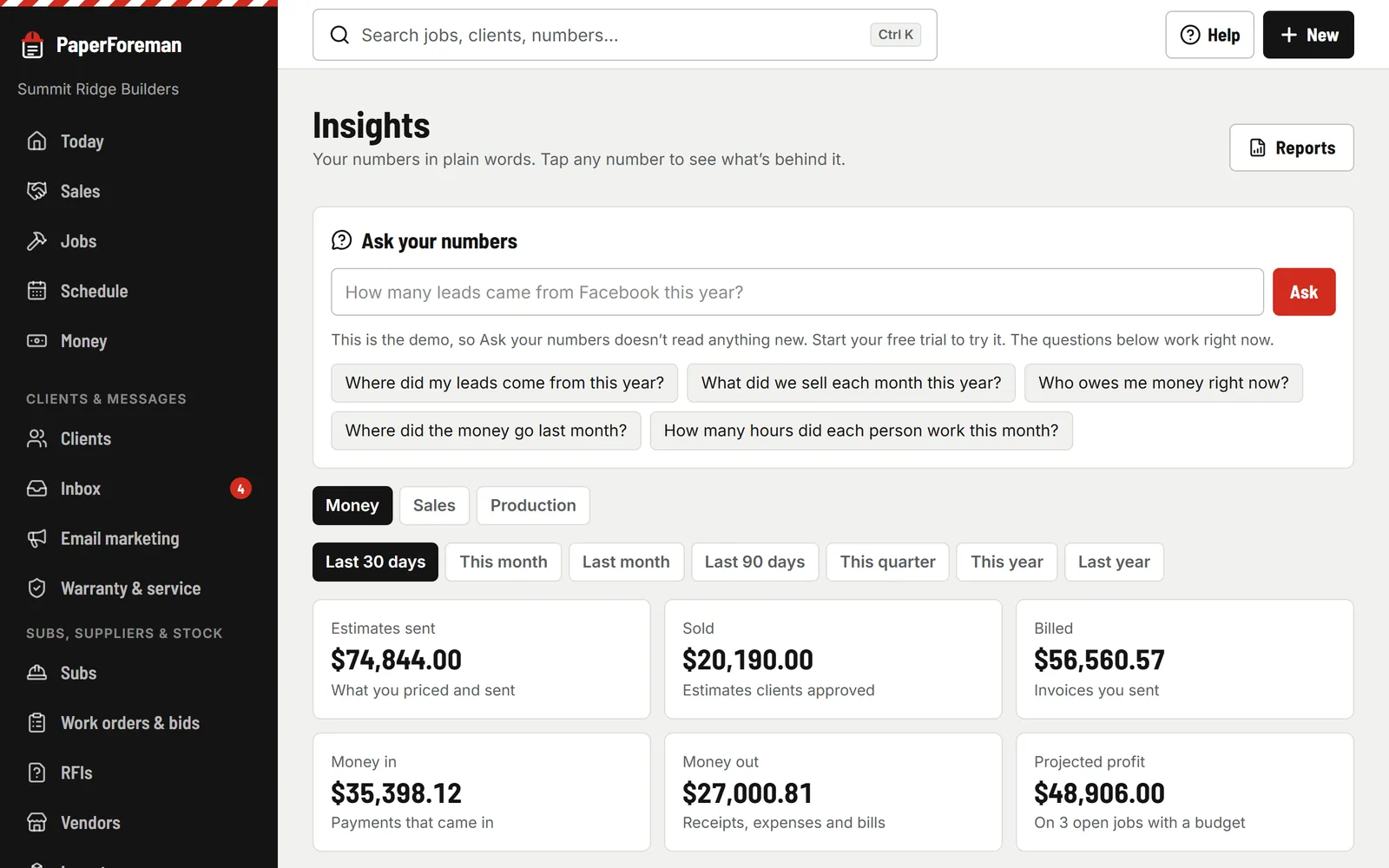
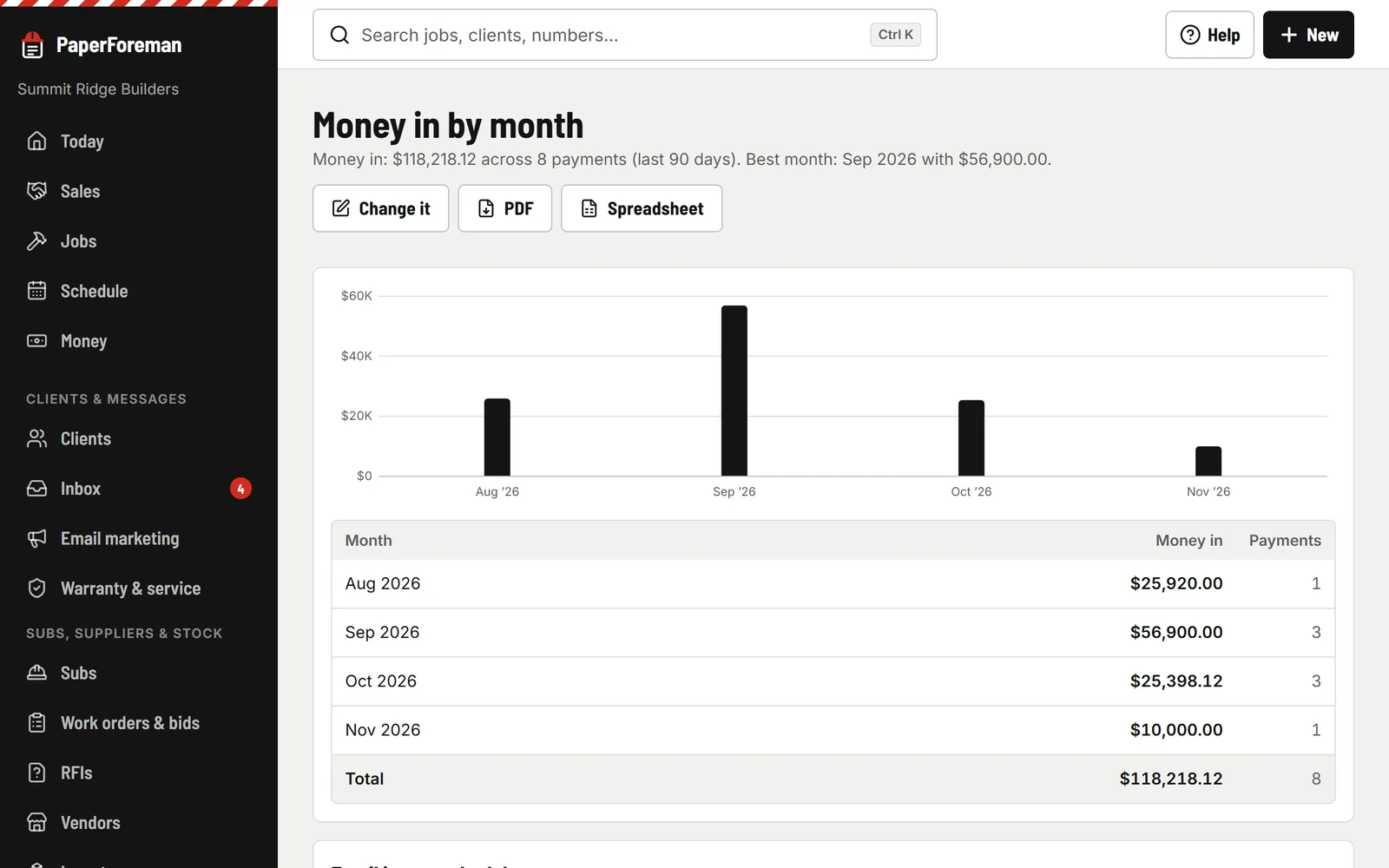
Money, sales and production dashboards; tap any number to see the records behind it. Or type a question. It answers from a fixed set of reports, never by guessing.
- usepaperforeman.com/reports
You
Reports that come to you
Build one from leads, estimates, jobs, invoices, payments, money out or time. Save it, download it as a PDF or spreadsheet, or have it emailed daily, weekly or monthly at 7 AM.


Ask it like you’d ask your bookkeeper
- “What did we sell last month?”
- “Which lead source wins the most jobs?”
- “How much is overdue?”
- “Who sold the most this quarter?”
Sales people see the sales numbers only; the crew sees none. Every answer opens the report behind it.
Know the number before the job is over.
Try it free for 14 days. Set up takes about ten minutes, from your phone.
Try it free. No card until you send your first document. Plans from $149/month after the trial. Cancel anytime from Billing.