Send the invoice. Get paid. Stop chasing.
Deposit, progress draw or final: the invoice goes out the day the work’s done, your client pays on their phone, and PaperForeman marks it paid the moment the money lands.
Step by step
What you tap, what the other person sees, and what happens after.
- usepaperforeman.com/invoices
You
Build it from the job
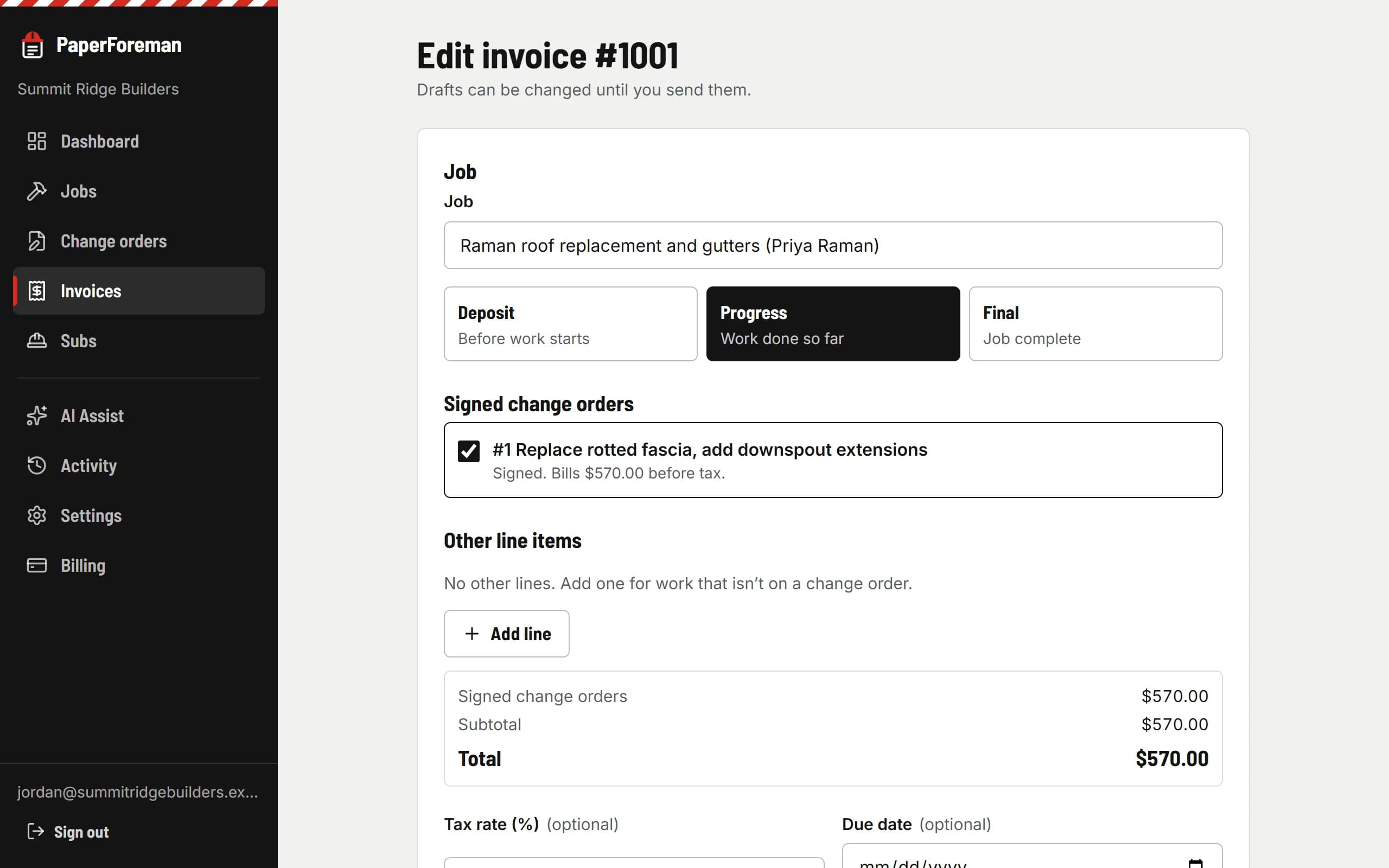
Pick the job and the type. Signed change orders are already there as checkboxes. Set the due date and which ways to pay, preview the PDF, send.
Your client
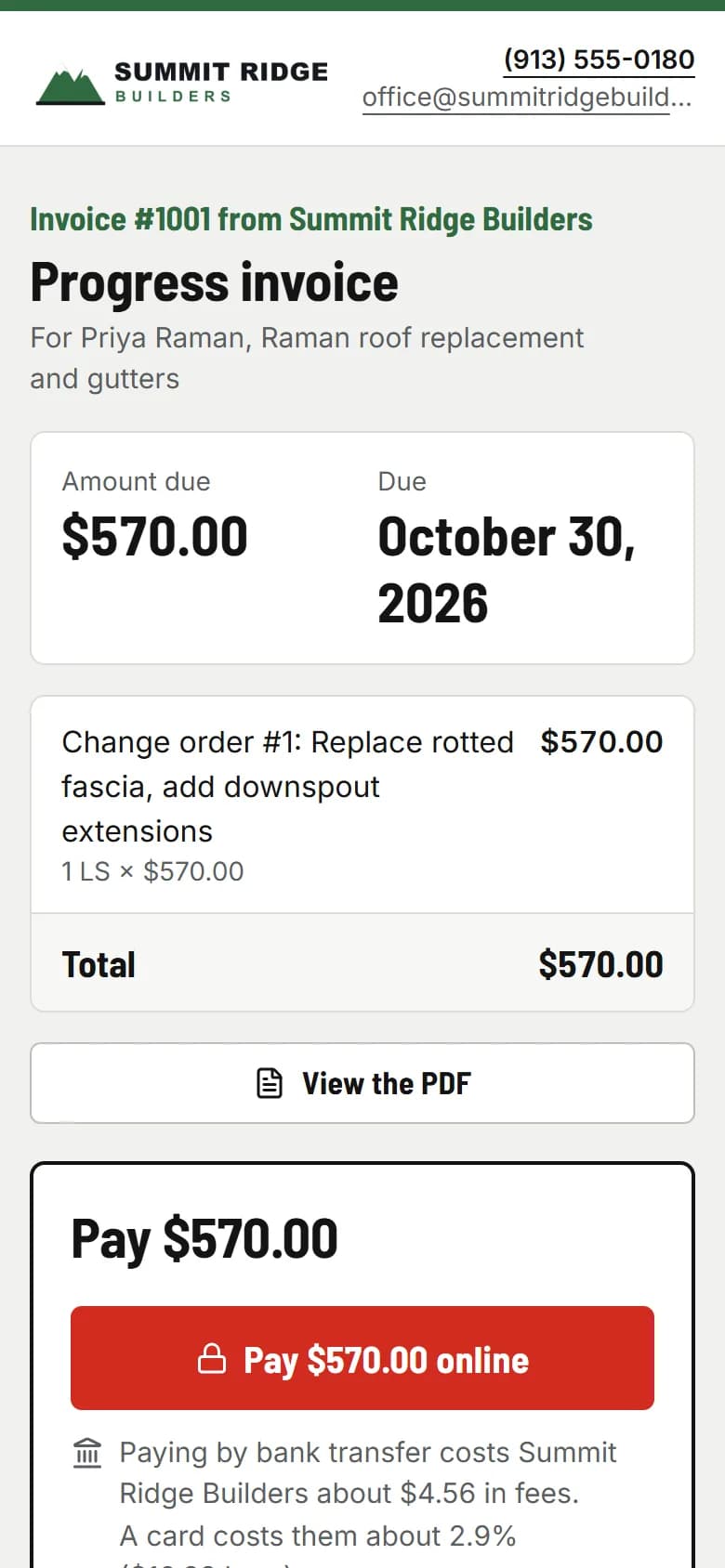
They pay from the email
One link opens the invoice with a Pay button. On invoices over $2,500, bank transfer is shown first, because it saves you real money: $5 instead of about $580 on a $20,000 invoice.
PaperForeman
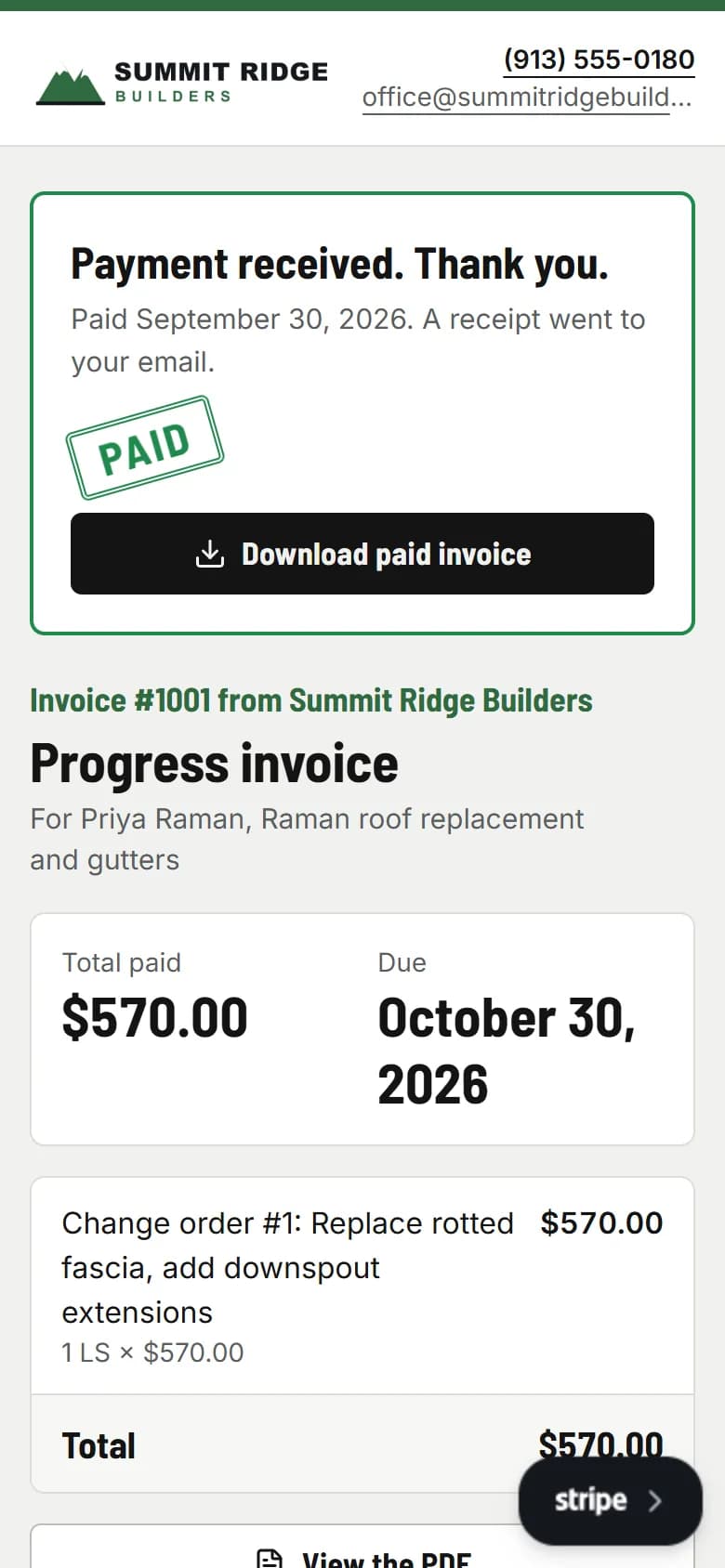
Paid, receipted, done
The payment is recorded against the invoice, the balance updates, a receipt goes to your client and you, and every reminder for it is canceled.
- usepaperforeman.com/invoices
You
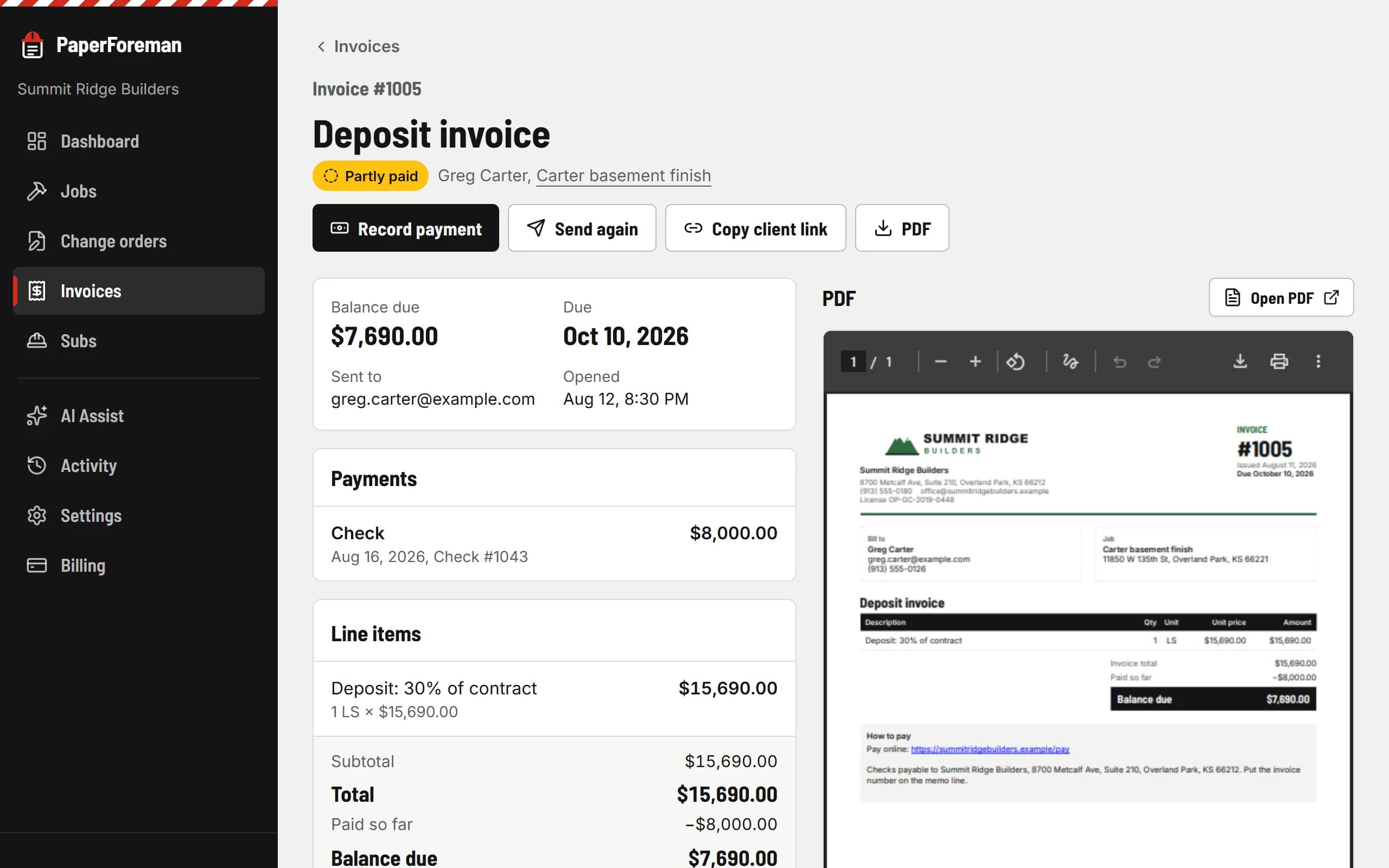
See every payment in one place
Each invoice shows what was paid, how, and what’s left. Partial payments are fine; the balance keeps getting chased.
Three ways your clients can pay
Offer one, two or all three on any invoice.
Online, through your Stripe
Connect your own Stripe account in a few minutes. Clients pay by bank transfer or card right on the invoice. Bank transfer costs you 0.8%, never more than $5. A card costs about 2.9% + 30¢. The money goes straight to you; PaperForeman takes no cut.
Your own payment link
Already take payments through another company? Paste your link once in Settings and it shows as a button on every invoice.
Check, cash or anything offline
Show your “make checks payable to” instructions. When the check arrives, record it in two taps (or tell AI Assist) and the reminders stop.
Fees on a $20,000 invoice
- Card
- $580
- Bank transfer
- $5
Stripe’s standard U.S. pricing. Bank transfers take a few business days to arrive; the invoice shows “processing” until they do.
Then it chases
Once the due date passes, your client gets a reminder with the pay link on day 3, 7 and 14. Overdue invoices stay at the top of your dashboard.
Invoices
Your client gets a reminder 3, 7 and 14 days after the due date.
- Reminder: Day 3
- Reminder: Day 7
- Reminder: Day 14
Stops the moment it’s paid or you void it.
See the real thing
An invoice from the demo company, the same PDF your client gets: line items, pulled-in change orders, balance due, and how to pay.
Sample invoice (PDF)Get paid without the phone calls.
Try it free for 14 days. Set up takes about ten minutes, from your phone.
$149/month after the trial. Cancel anytime from Billing.