Win the job
Every lead in one list, from first call to won.
Calls, your website form, booked visits and design-page leads all land in Leads. Call or text from your own phone, book the visit, write the estimate, and see who is waiting on you.

Step by step
What you tap, what the other person sees, and what happens after.
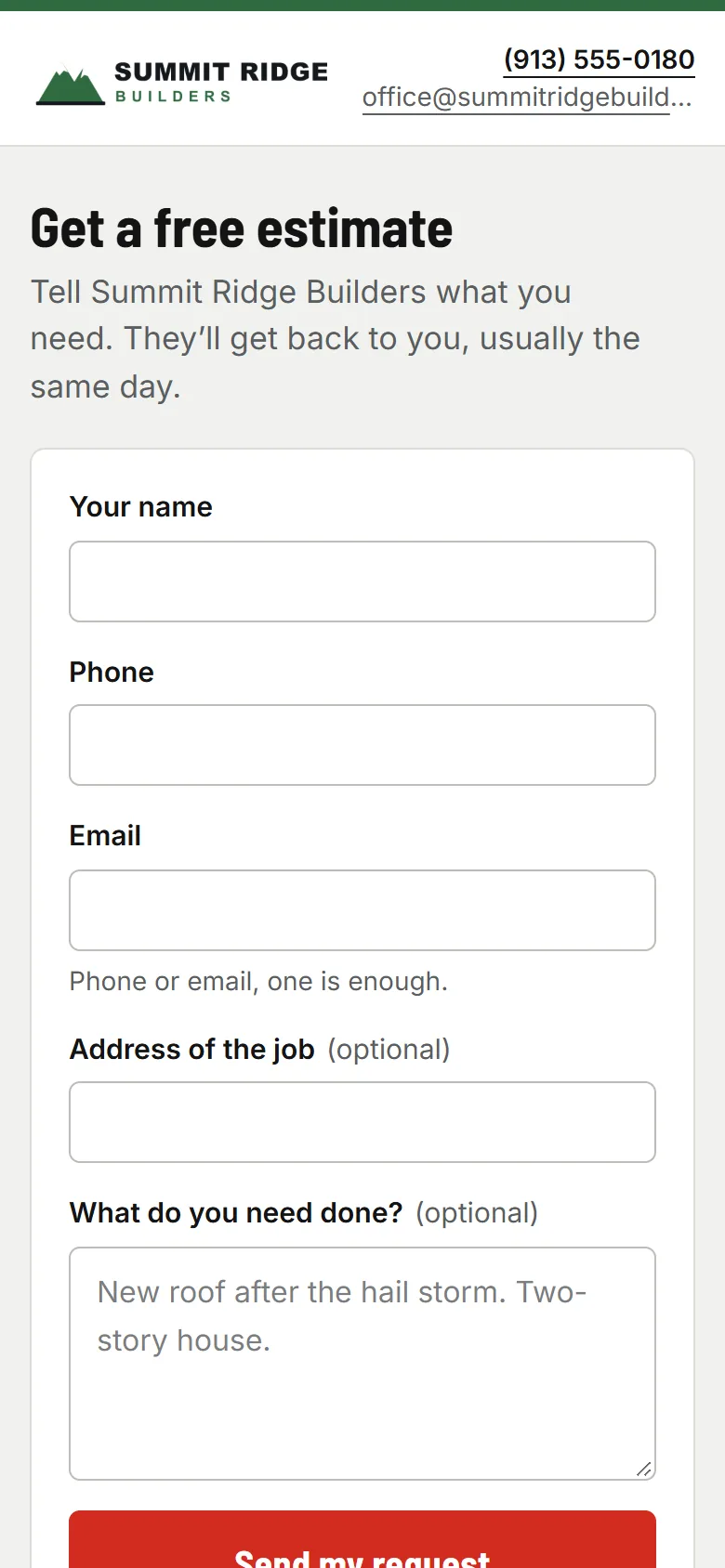
Homeowner
They fill out your form
Your own lead form, as a link or a few lines of code on your website. Name and a phone or email is enough. You get an email, and it’s a new lead.
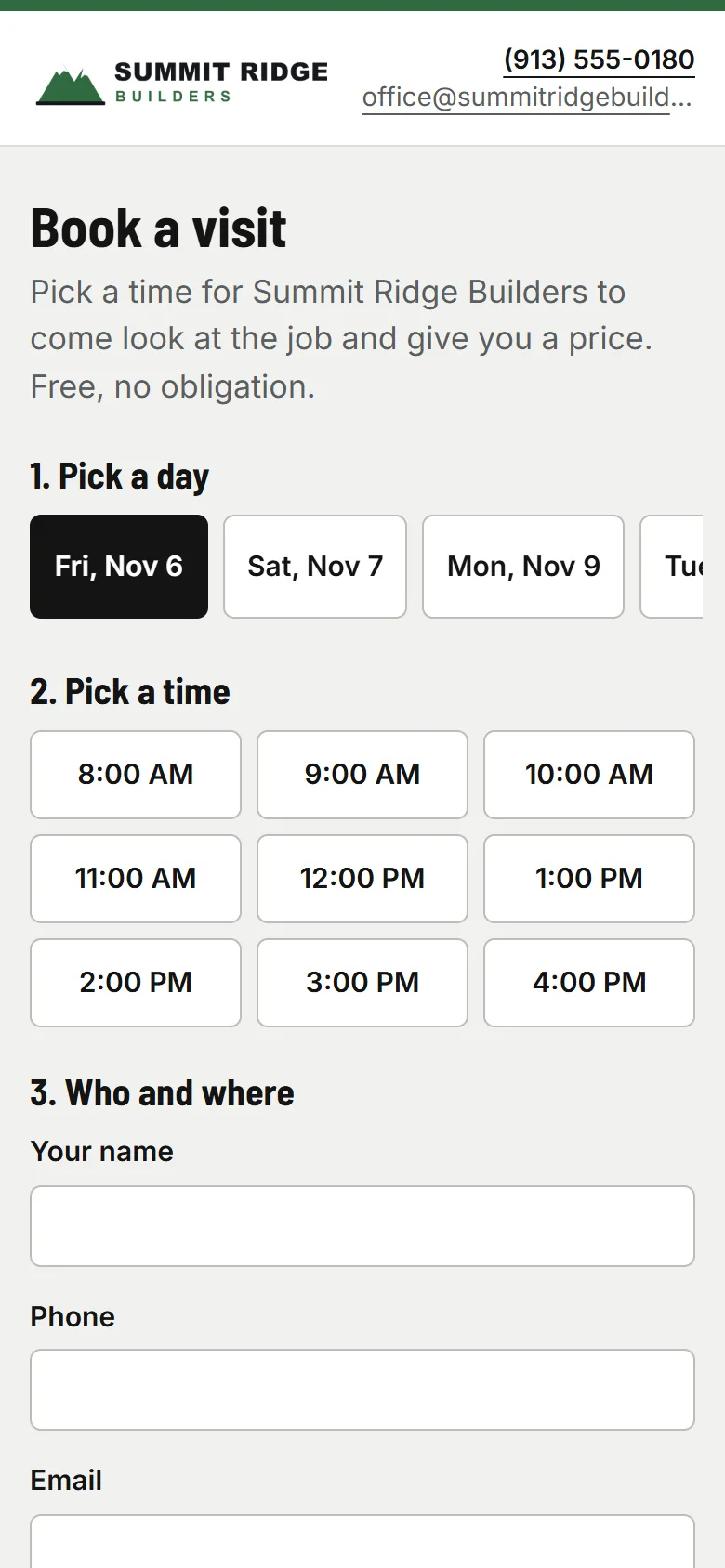
Homeowner
Or they book the visit
Online booking shows only the times someone who does your estimate visits is free, gives the visit to them, and puts it on your crew schedule. The homeowner gets a confirmation with “Add to my calendar”.
- usepaperforeman.com/leads
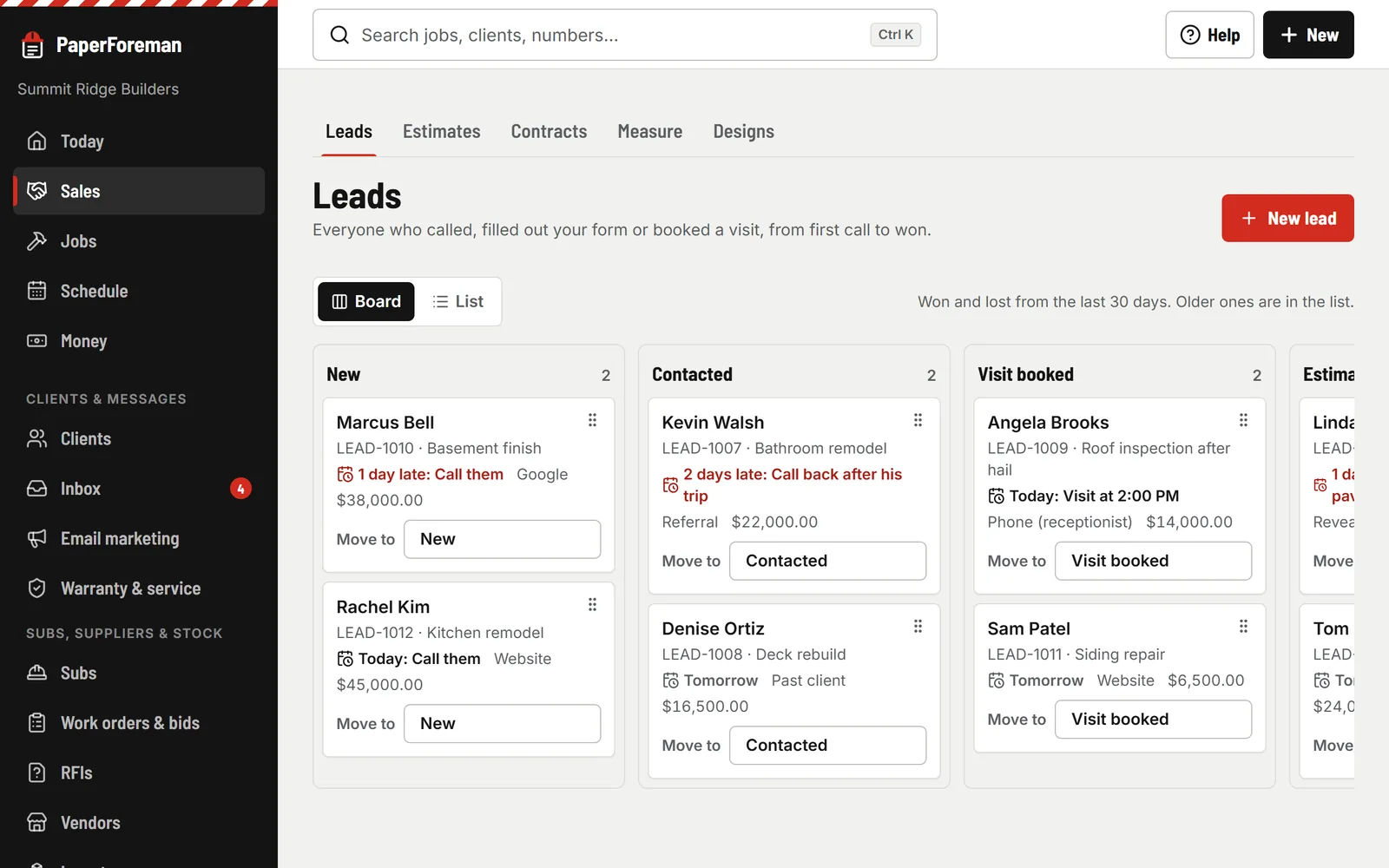
You
Work the board
New, Contacted, Visit booked, Estimate sent, Won, Lost (roofers get “Inspection booked”). Drag on a computer, “Move to” on a phone, Undo on every move. A lost lead asks for a one-tap reason.
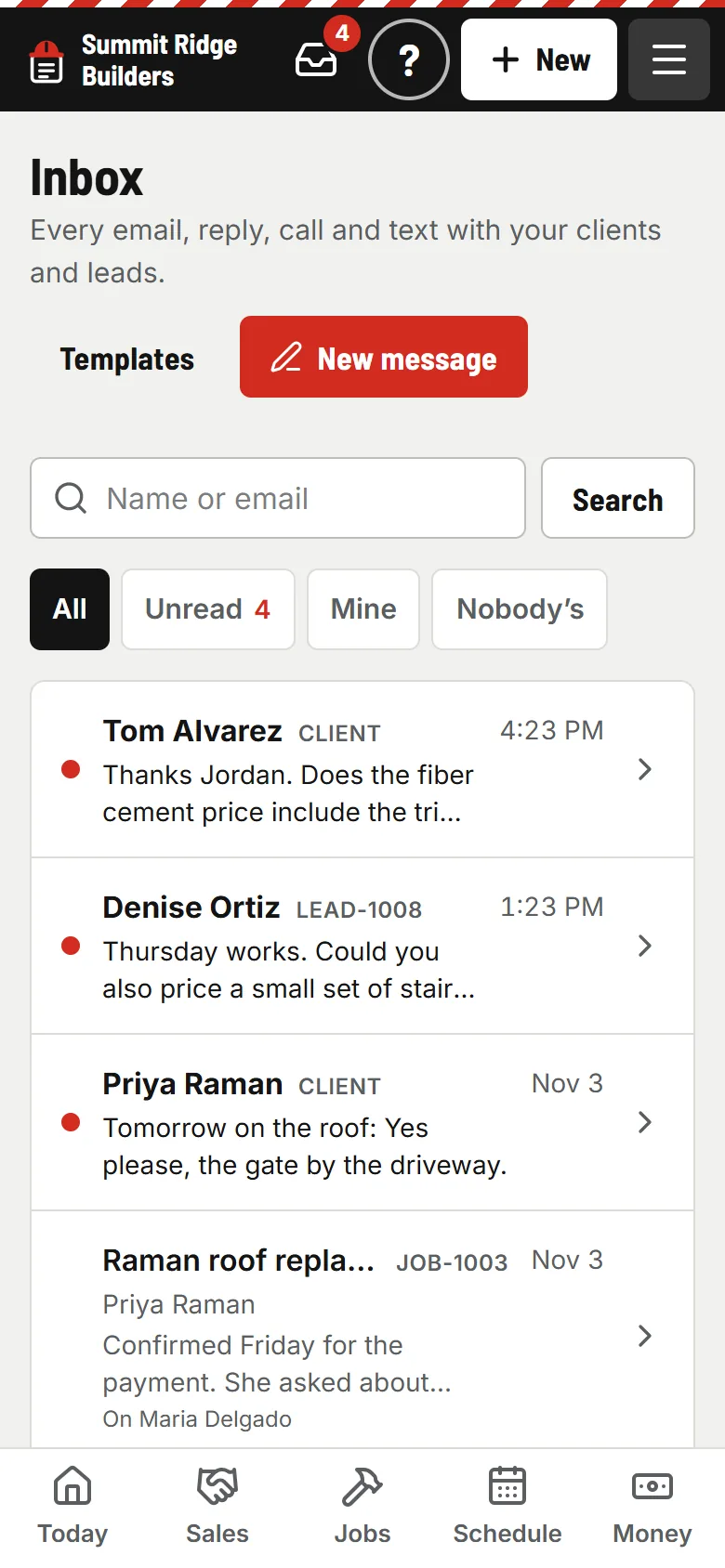
You
Replies come back to you
When a client answers an estimate or an invoice email, the reply lands in the Inbox under that client, and whoever has the conversation gets an email. Calls you log and texts from your phone sit right beside it.


And the parts that win the job
Lead to estimate in one tap
“Write an estimate” makes the client and the job and opens the estimate filled in. “Turn into a job” marks it won.
Next steps that don’t slip
Give a lead a next step and a day. Late ones go to the top of Today until you deal with them.
Email your past clients
Pick who (past clients by kind of work or ZIP, open leads, lost leads), write it in blocks, preview it on a phone, send or schedule. Unsubscribe is built in.

Then it chases
Once you send the estimate, the lead moves to “Estimate sent” and your client gets a polite reminder if they haven’t answered.
Estimates and change orders
Your client gets a reminder 2 and 5 days after you send it.
- Reminder: Day 2
- Reminder: Day 5
Stops the moment they approve, sign or decline.
Stop losing leads in your texts.
Try it free for 14 days. Set up takes about ten minutes, from your phone.
Try it free. No card until you send your first document. Plans from $149/month after the trial. Cancel anytime from Billing.