Run the job
Crews on a calendar. The day on their phones.
See who is where, day by day. Drag a job to another day or crew and everyone sees it. Your crew opens their phone to their own day: the jobs, the clock, the photos and the checklists.

Step by step
What you tap, what the other person sees, and what happens after.
- usepaperforeman.com/jobs
You
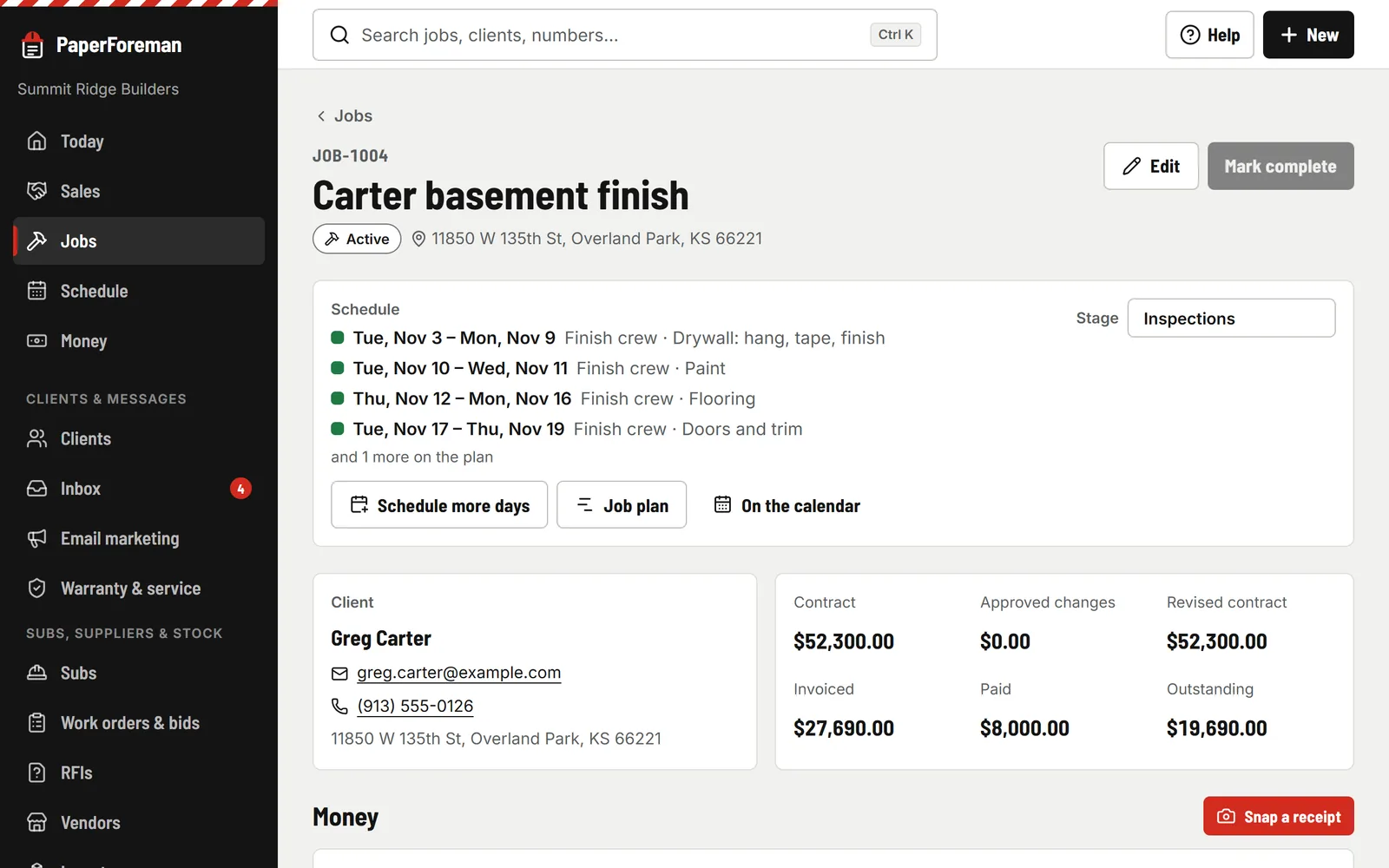
Schedule it from the job
“Schedule it” on the job page: the crew, the first day and how many work days. Weekends and days off are skipped. Notes for the crew go under More details.
You
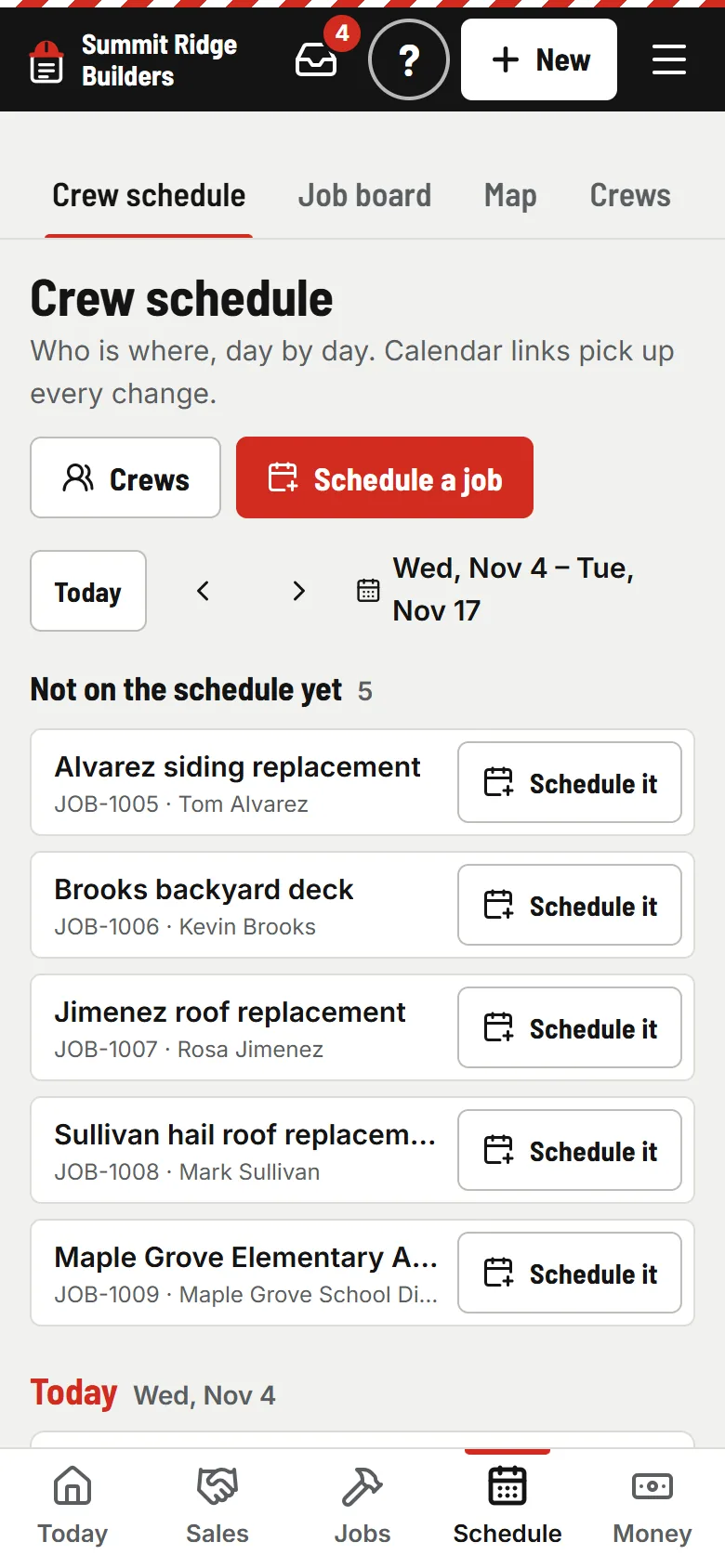
Move it when plans change
On a computer, drag a job to another day or crew, or stretch it. On a phone, two weeks day by day with “Move to”. Undo on every move. Double-booked? A yellow warning, never a block.
- usepaperforeman.com/jobs
You
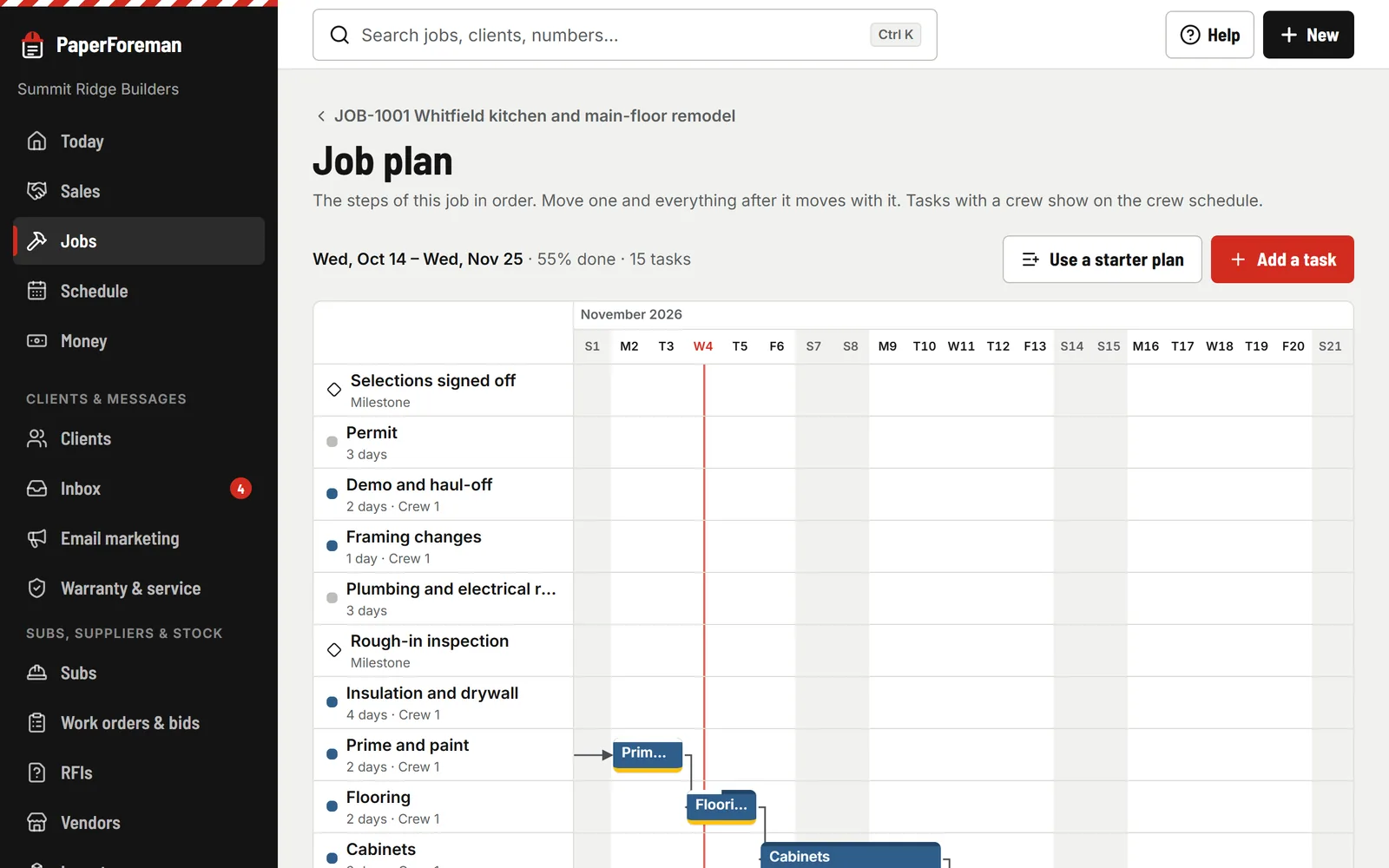
Plan the job
A starter plan for your trade: tasks in work days, what waits on what, milestones, percent done. Move one task and everything after it moves with it.
Your crew
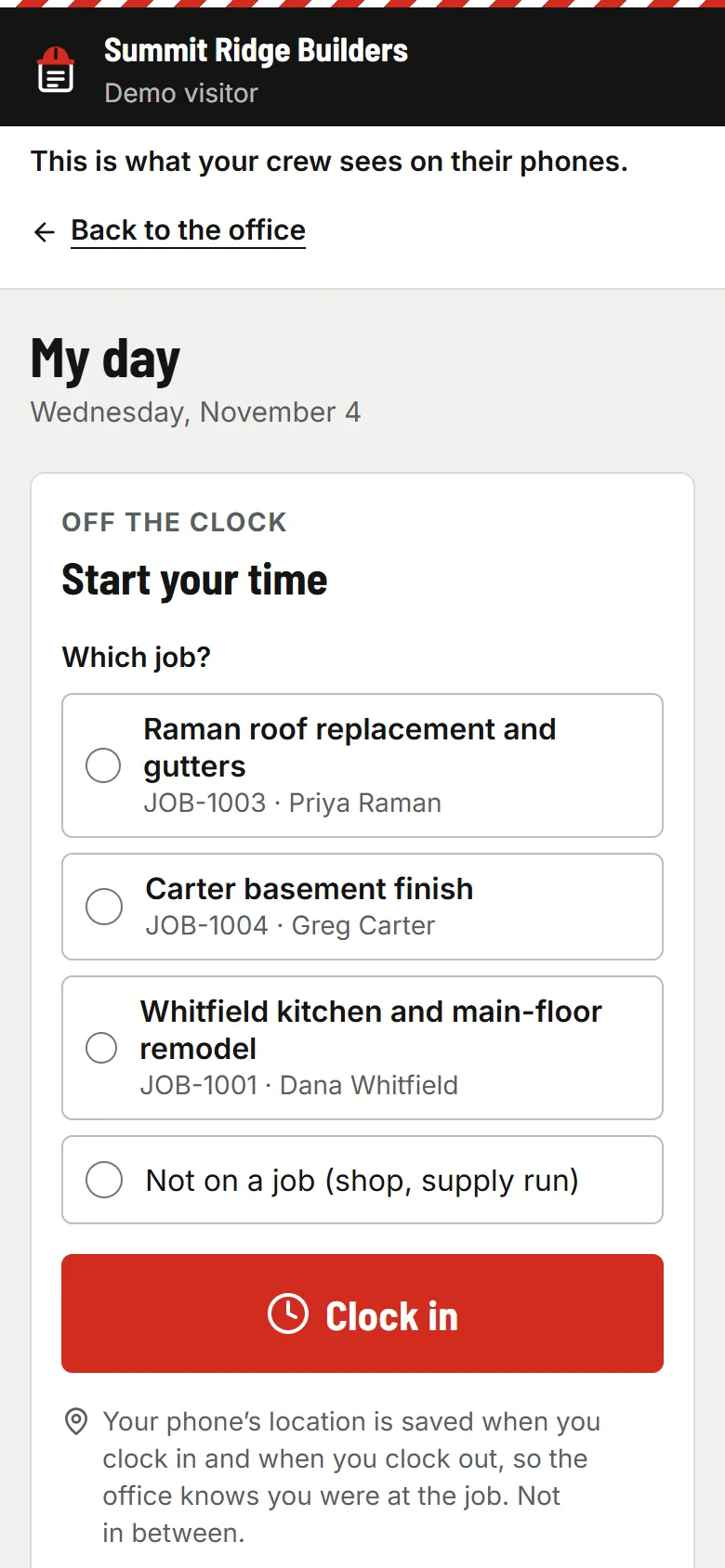
Their day, on their phone
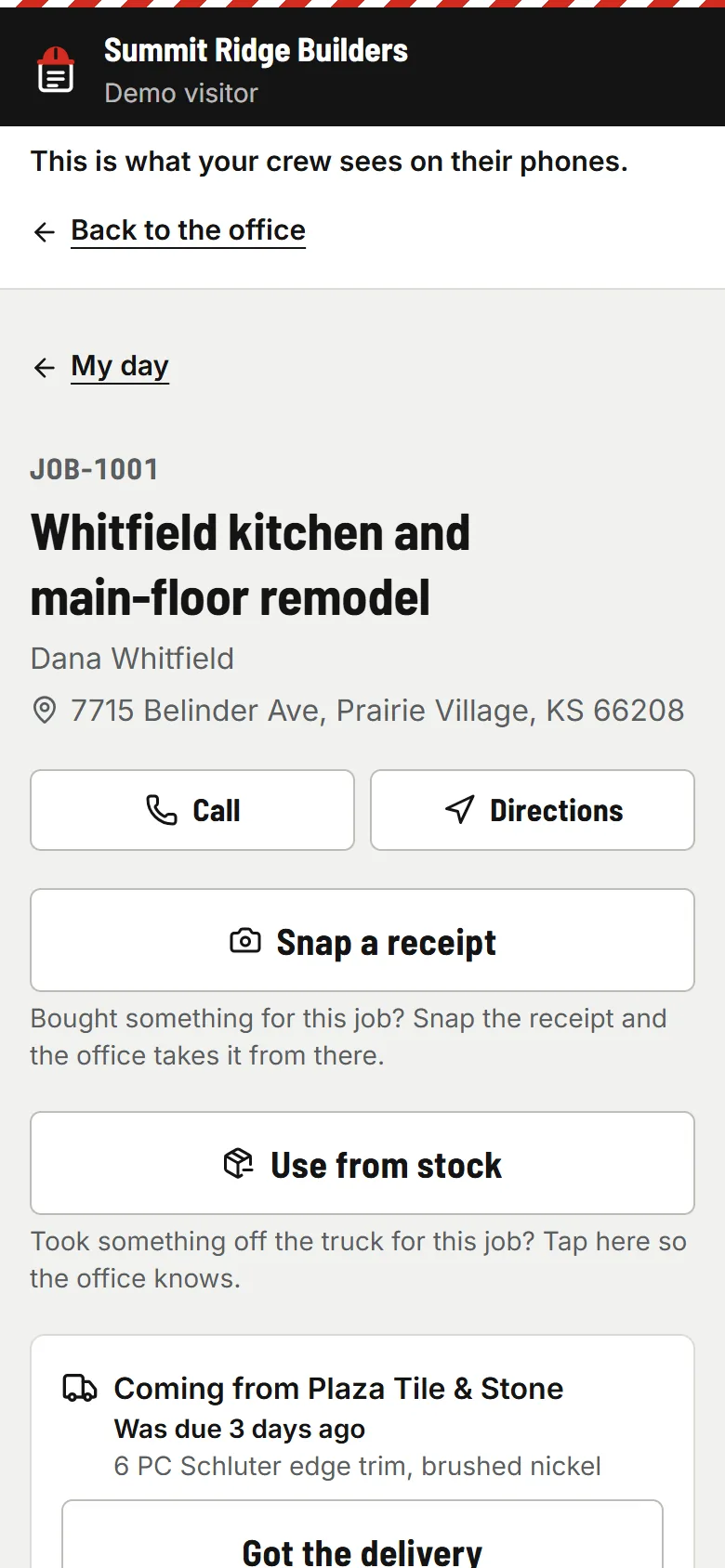
Today’s jobs with the address, a call button and directions. One big button to clock in. The location is saved at clock in and out if you turn that on, and not in between.
Your crew
Photos, logs, checklists, receipts
Photos with arrows drawn on, the daily log with the weather already in it, your checklists, receipts they snap and stock they take off the truck. No prices, ever.
- usepaperforeman.com/timesheets
You
Approve the hours
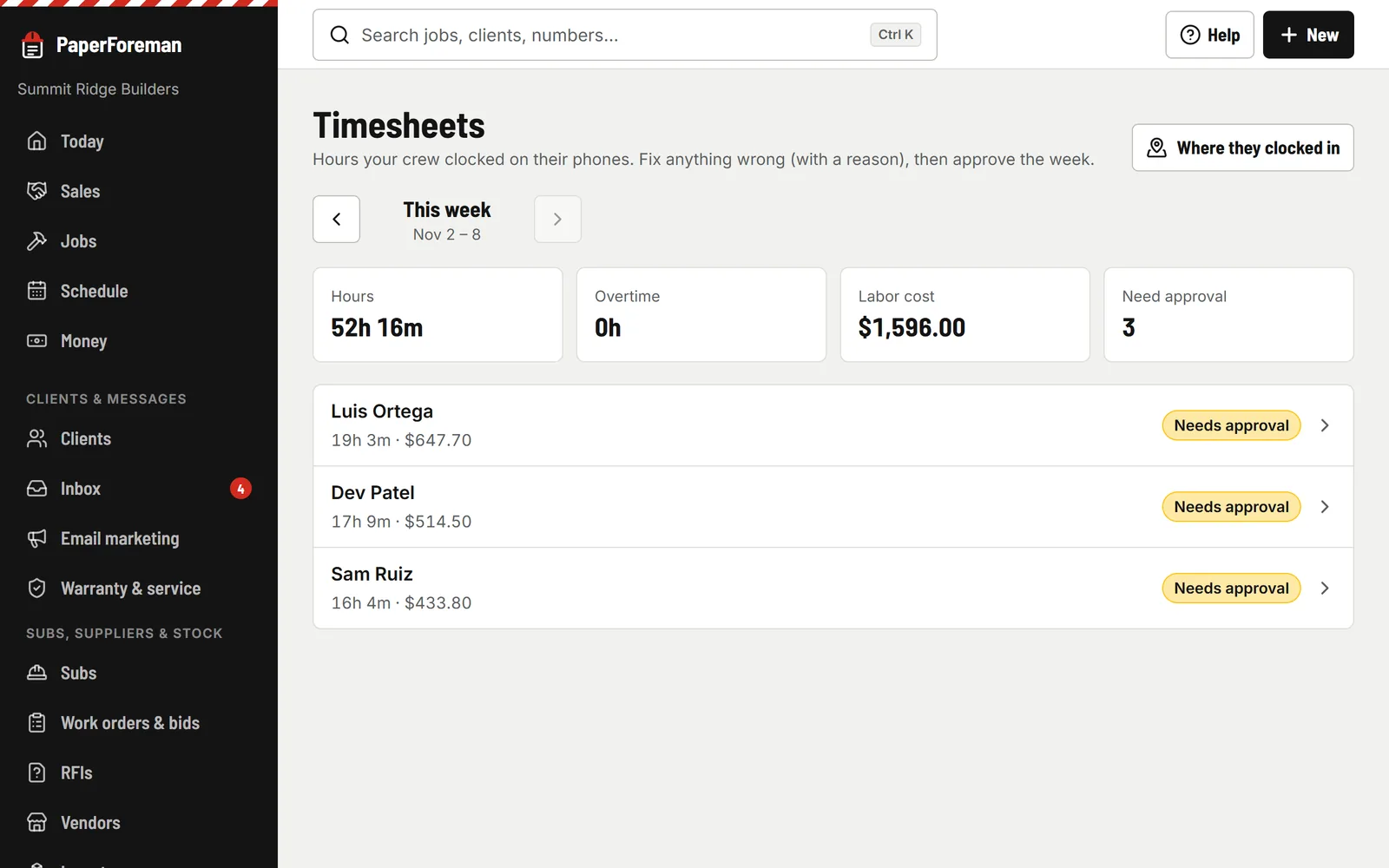
Hours by person and job, overtime (after 40 hours a week unless you change it), and what the labor cost. Fix time with a reason, then approve the week. Labor lands on each job’s cost.


Made for the crew, not the office
Crew mode shows a crew member their work and nothing else.
- One big button to clock in and out. The location is stamped when they do, if you turn that on.
- Today’s jobs with the address, a call button and directions.
- Photos, with arrows and words drawn on them.
- Daily logs with the weather filled in.
- Checklists and forms: safety, walkthroughs, roof inspections.
- No signal? It saves on the phone and uploads when they’re back in range.
- They see the work, never your prices.
- Add it to the home screen. Nothing to download from an app store.
And the rest of the board
The map puts today’s stops for each crew in driving order, with Navigate and Call on each one.
Job board
Every active job by stage, from sold to paid, with your trade’s stages. Drag on a computer, “Move to” on a phone.
Calendar links
Each crew, and each person, gets a link for Google, Apple or Outlook calendar. Make a new link any time and the old one stops working.
“Let the client know”
When you move a job, choose to email the client their new dates. Changes made close together go out as one email, and only if you said so.
Holidays and days off
Work days and holidays are set once. Scheduling skips them, and so do the job plans.

Run the job
Also in run the job
- Subs & insurance Insurance, W-9s, lien waivers, work orders and bids.
- Materials & permits Purchase orders, deliveries, permits, inspections and RFIs.
- Inventory What’s on each truck, in the shop and in the yard.
- Client portal & warranty One link for the client. Warranty claims and service plans.
Stop running the schedule from a group text.
Try it free for 14 days. Set up takes about ten minutes, from your phone.
Try it free. No card until you send your first document. Plans from $149/month after the trial. Cancel anytime from Billing.